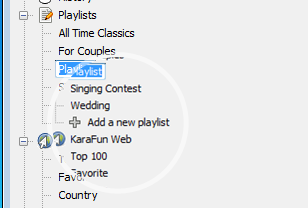
In order to create a new playlist, follow these steps:
- Start KaraFun Player
- Make sure the Playlist item is selected in the Library section
- Optionally, give your playlist a name (you can rename your playlist by right clicking on it and selecting "Rename").
- Drag & Drop any karaoke file on the name of this list to add the songs.
Your karaoke songs are now available in the playlist.
Your playlist is only available on the computer you have used to create it. However, you can follow our tutorial on how to transfer your playlists between your computers.

2 comments
jpirere3
pizzalova
KaraFun